How to turn your Instagram profile into a website with one screenshot
The Carder Team · Jun 24, 2026
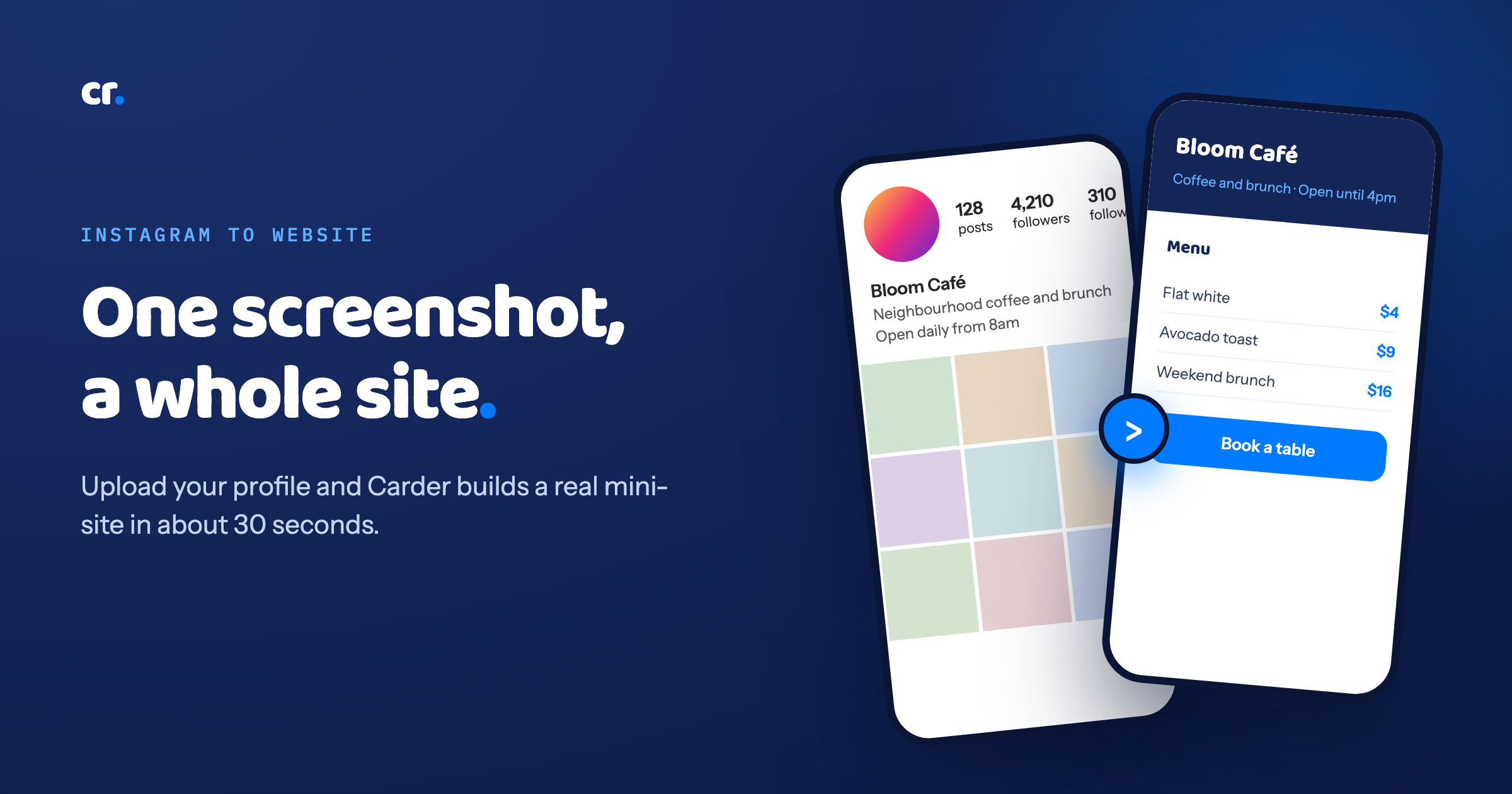
Your Instagram profile is doing a lot of work. It has your name, what you do, your best photos, your highlights, a bio that took you an hour to get right. The one thing it will not do is take a booking, show a full menu, or hand someone your prices without making them slide into your DMs.
So most people bolt a Linktree onto their bio and call it done. Now you have a list of links that points people somewhere else, which is the opposite of what a busy customer wants.
There is a faster path. You already built the hard part on Instagram. Carder can read it from a single screenshot and turn it into a proper mini-site, in about the time it takes to reply to a comment.
What "one screenshot" actually means
You do not fill in a form. You do not copy and paste your bio into ten boxes. You take a screenshot of your Instagram profile, the normal one with your name, photo, bio and highlights, and you upload it.
Carder reads it and pulls out:
- Your name and your handle
- Your bio, the category you picked, your location if it is there
- The visual style, so the site feels like you and not like a stranger's template
- Your highlights, as a signal for the sections you probably need
From that, the AI writes a first draft of a complete site and assembles the sections that fit your kind of business. A café gets a menu and hours. A barber gets a booking section and a price list. A freelancer gets services and a way to get in touch.
Why a screenshot and not a login
A few reasons, and they all point the same way.
It is faster. A screenshot is one tap. Connecting an account is a permissions dance that scares people off before they see the result.
It is private. Carder is reading an image you chose to share, not reaching into your account.
It works for anyone. You do not need to be the account owner or an admin to try it. If you can see the profile, you can screenshot it.
The one thing to do after
Here is the honest part. A screenshot is small. The thumbnails on your profile are lovely at phone size and far too low resolution to stretch across a real web page. So Carder builds the whole structure from your screenshot, then asks you to drop in your best photos after you claim the site.
That is a two minute job, and it is the difference between a site that looks generated and one that looks like yours. Pick your three or four strongest images and you are done.
From screenshot to live link, step by step
- Open your Instagram profile and take a screenshot.
- Go to Carder and upload it.
- Watch the AI build your mini-site in about 30 seconds.
- Edit anything you want. Every word and section is yours to change, the AI gives you a strong start, not a locked template.
- Add your best photos.
- Publish. You get a clean link (carder.app/yourname) that goes straight in your bio.
What you end up with
Not a list of buttons. An actual page that does the job your profile could not: shows the full menu, holds your prices, takes the booking, gives directions, and answers the question people were about to DM you.
One link in your bio, and it closes the sale by itself instead of sending people somewhere else to figure it out.
You already wrote the bio, chose the photos, and built the following. Carder just turns all of that into something that can actually take a customer.
Ready to see yours? Generate my site, free. It takes one screenshot and about thirty seconds.
Still deciding if you need a site at all?
Turning your profile into a page is the how. If you are weighing the bigger question of whether selling from Instagram alone is quietly costing you customers, we wrote the full case here: how to sell on Instagram without a website.