How to build a restaurant website that actually brings in orders
The Carder Team · Jul 29, 2026
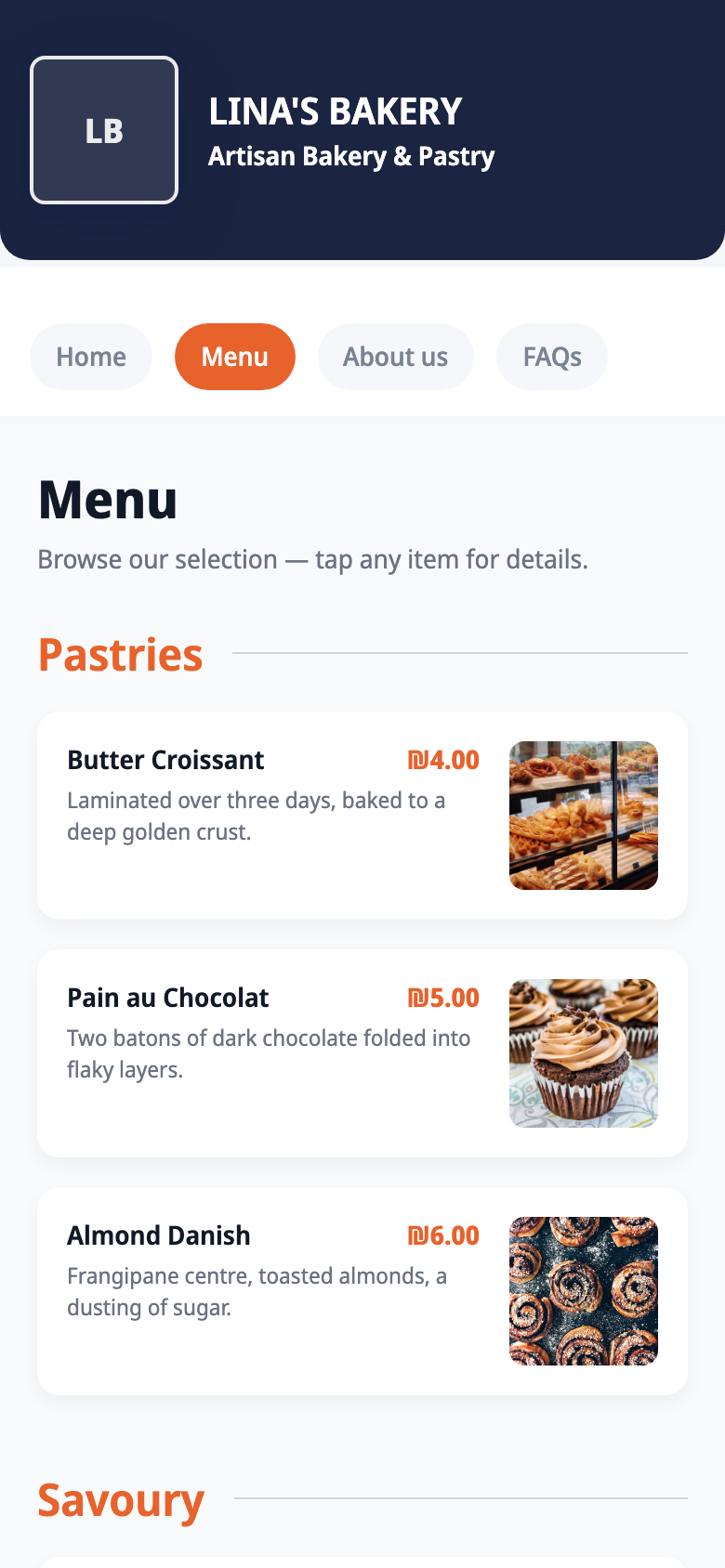
Most restaurant "websites" are really just a link in an Instagram bio pointing at a blurry PDF menu from two price changes ago. It technically exists. It is also quietly losing you orders every day, because a hungry person who cannot read your menu or find your hours in five seconds simply orders from someone else.
The good news: a restaurant website that actually works is smaller and simpler than you think. You do not need an agency, a big budget, or a month of back and forth. You need a page that answers four questions fast.
What a restaurant website actually needs to do
Forget "web design" for a second. A customer taps your link because they want one of four things, and your job is to answer before they lose patience.
- What can I eat, and what does it cost? A readable menu with real prices, not a PDF they have to pinch and zoom.
- Are you open, and where are you? Hours, location, and a tap-to-navigate map.
- How do I order? One obvious button that goes where you already take orders: WhatsApp, phone, or your delivery app.
- Is this place any good? A few photos and a line about who you are.
Answer those four on one page and you have beaten ninety percent of restaurant links out there. Everything else is a nice-to-have.
The part everyone overthinks: the menu
The menu is where most restaurant sites die. People either link a PDF that nobody can read on a phone, or they face the misery of retyping forty dishes into some builder, and then never update it.
You can skip both. Photograph your printed menu and Carder reads the items, prices, and categories into a browsable menu page for you. When prices change you update the page in seconds, not with a new PDF export. We wrote the full how-to here: put your menu online without typing a single item.
The fastest way to build the whole thing
Here is the ten-minute version with Carder, an AI mini-site builder for businesses and professionals.
- Describe your place in one sentence, for example "a family-run grill house with delivery and a table QR," or upload a screenshot of your Instagram. Carder generates a full mini-site in about thirty seconds, with the right sections already in place.
- Add your menu by photographing it, and set your hours and location.
- Turn on order buttons for WhatsApp, phone, or your delivery apps, whichever you actually use.
- Publish and swap the link in your Instagram and Google profile.
What you end up with:
- A browsable menu with real prices, no PDF.
- Hours with holiday overrides so "are you open?" answers itself.
- One-tap order buttons to WhatsApp, phone, or delivery apps.
- Print-ready QR codes for tables and the counter.
- Arabic menus generated in proper right-to-left layout.
- A free plan to publish a real page, then Pro at $12/mo and Business at $29/mo when you grow.
If you want the full picture of what Carder does for food businesses, see Carder for restaurants and cafés.
Do you even need a "real" website?
Honest answer: most independent restaurants do not need a big multi-page site with a booking engine and a blog. That is overkill, and it is exactly why those projects stall. A mini-site behind your bio link does the job a restaurant actually needs, menu, hours, location, and ordering, and it is faster to launch and cheaper to run.
If you are a large group with online payments, loyalty programs, and a marketing team, a full custom build makes sense. For a single kitchen trying to turn Instagram followers into orders tonight, it does not. And if your bio link is still just a list of buttons, here is why a link list quietly loses you customers compared to a page that shows the menu right away.
Frequently asked questions
Do I have to retype my whole menu? No. Upload a photo of your printed menu and Carder reads the items, prices, and categories automatically. You review, fix anything, and publish.
Can customers order through the site? The site routes orders to where you already take them: WhatsApp, phone, or your delivery apps. There is no new system to learn and no commission to Carder.
How much does a restaurant website cost with Carder? Nothing to publish a real one-page site on the free plan. Paid plans start at $12/mo (Pro) when you want your own name and more pages, and menu OCR is on the Business plan at $29/mo.
Can I make an Arabic menu? Yes. Describe your restaurant in Arabic and the AI generates the site, menu included, in proper right-to-left layout.
What about a QR code for the tables? Every Carder site comes with a print-ready QR code. Put it on tables and the counter so walk-in customers reach your menu and order buttons without typing anything.